PRODUCT DESIGN
Designing a complete management platform for manufacturing SMEs, built from the ground up to digitize production workflows.
INDUSTRY
MANUFACTURING
YEAR
2026
TEAM
4 PEOPLE
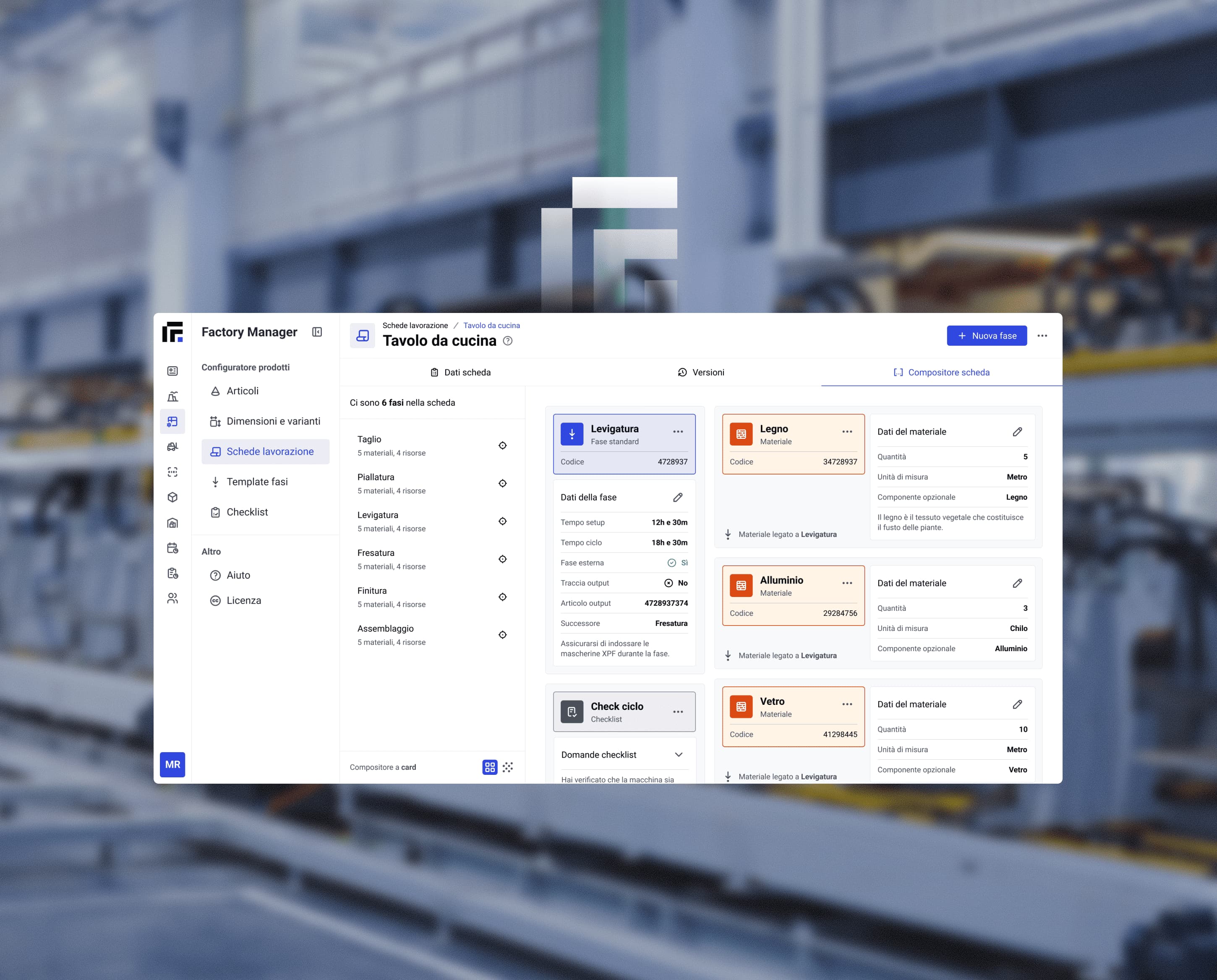
Introduction
Factory Manager is an Inmagik's product, a digital management platform designed for small and medium-sized manufacturing companies.
It brings the different stages of the production process into a single environment, connecting sales, orders, production planning, procurement, inventory and reporting.
Manufacturing processes often involve large amounts of interconnected information, with different activities and teams relying on separate tools and workflows.
This can make it difficult to maintain a clear overview of production, coordinate resources and keep track of what is happening at each stage.
Factory Manager addresses this complexity by connecting these activities into a single, structured system, helping companies manage their operations more consistently.
Overview
Project Goal
Platform
Timeframe
Team composition
Purpose of the tool
Factory Manager is designed to centralize and simplify the management of manufacturing operations.
It connects the different stages of the production cycle — from quotations and orders to planning, procurement, inventory and reporting — within a single platform.
The tool gives companies a shared overview of their operations, helping teams coordinate activities, monitor production and make informed decisions based on up-to-date data.
Target audience
Factory Manager is designed for small and medium-sized manufacturing companies, supporting the different roles involved in managing production and operations.
Its primary users include production managers, planners, sales teams, purchasing managers and company owners, each with different responsibilities and information needs.
Industry
Industry
Industry
Inappropriate tools
The reason we invested in this product stems from the fact that Italian small and medium-sized enterprises often rely on two solutions that sit at opposite ends of the spectrum: many smaller businesses still rely on Excel spreadsheets, resulting in a fragmented and difficult-to-centralize view of their operations, while somewhat larger companies turn to tools that are often more powerful — and expensive — than they actually need.
Factory Manager is designed specifically for these businesses, with the mission of simplifying and centralizing their production processes.
Recurrent problem
Relying solely on Excel spreadsheets
Recurrent problem
Rigid software that force you to adapt
Recurrent problem
ERP systems are way too complex to use
Recurrent problem
No clear view of orders and materials
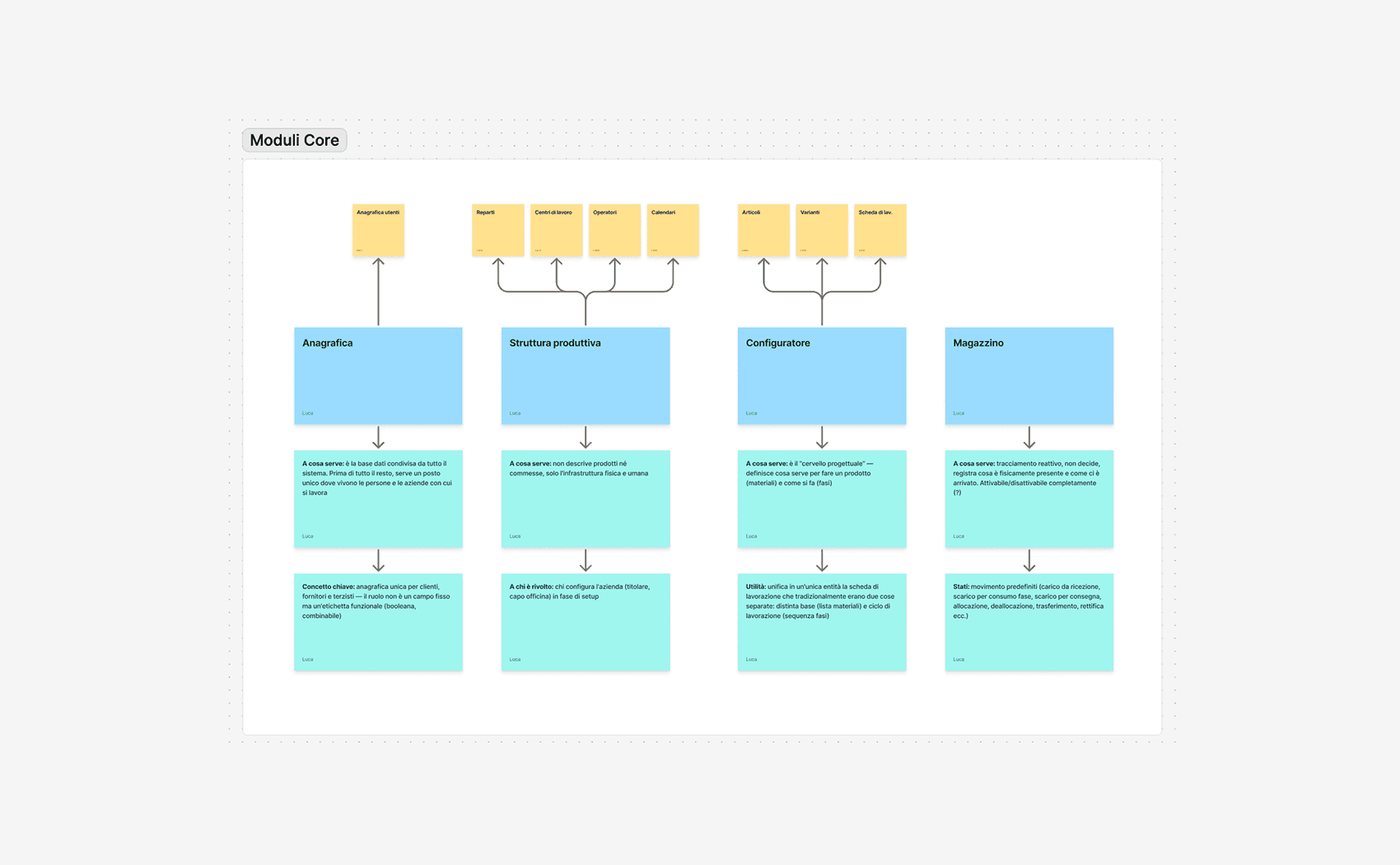
Modular architecture
When defining the product architecture, the initial idea was to create a modular system, where each module represents a specific area of the company’s production workflow. This modular approach allows the platform to be highly customizable and adaptable to different business needs.
For example, a company may decide that the reporting module is not essential for its operations, while order tracking is a priority. This approach gives customers the freedom to build a tailored solution, using only the tools that are truly relevant to their workflow.
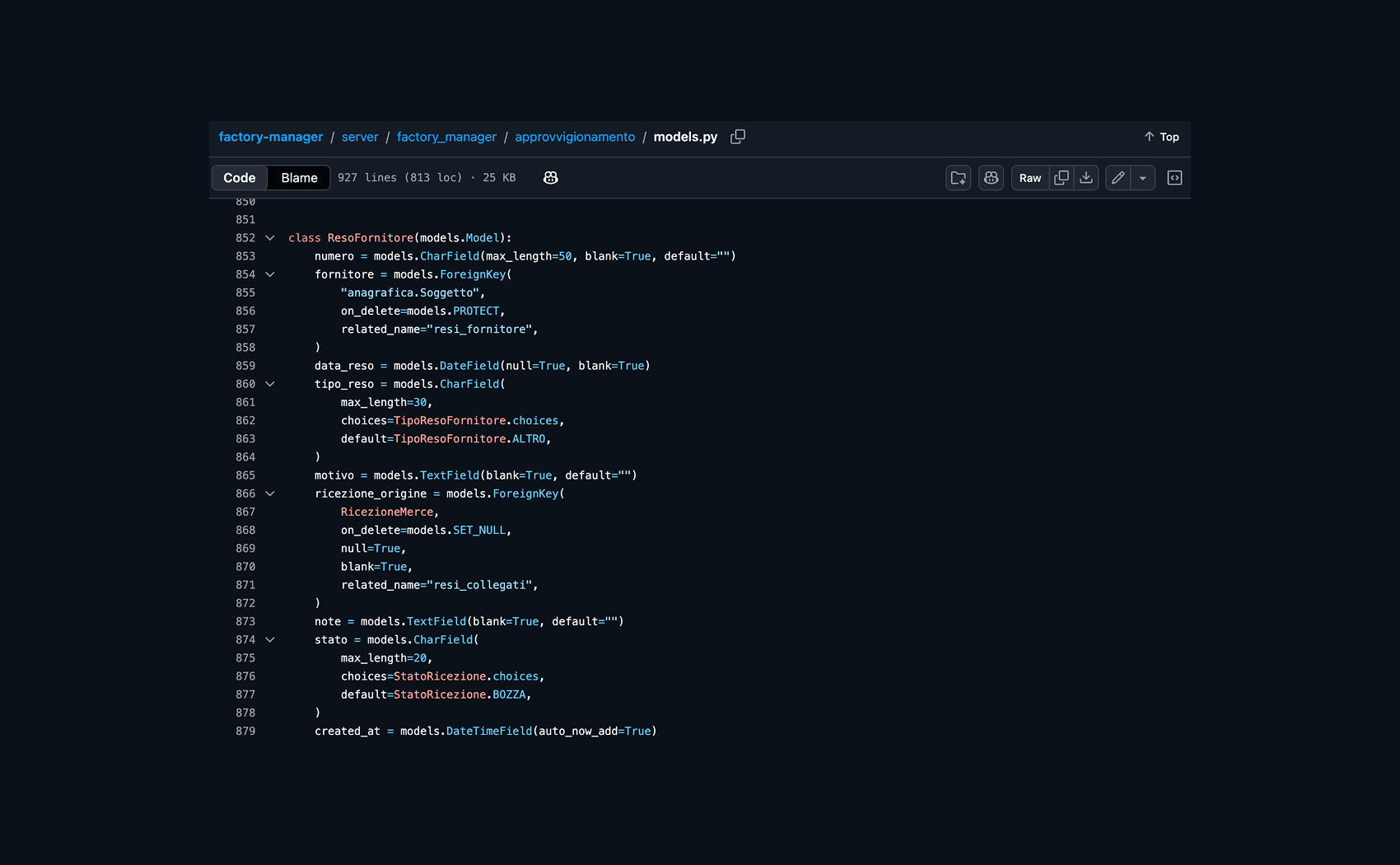
I worked closely with the developers who coded the data model, gaining a deeper understanding of how to structure and manage the interface accordingly.
Which design system?
Once the product architecture was defined, we evaluated whether to create a custom design system from scratch or adopt an existing open-source solution.
The second option would significantly reduce development time, so we decided to use Mantine as the foundation for the product’s design system.
However, not all the components required by the platform were available out of the box. For more complex elements — especially data tables and row interactions — I designed and developed custom components to better match the product’s specific needs and workflows.
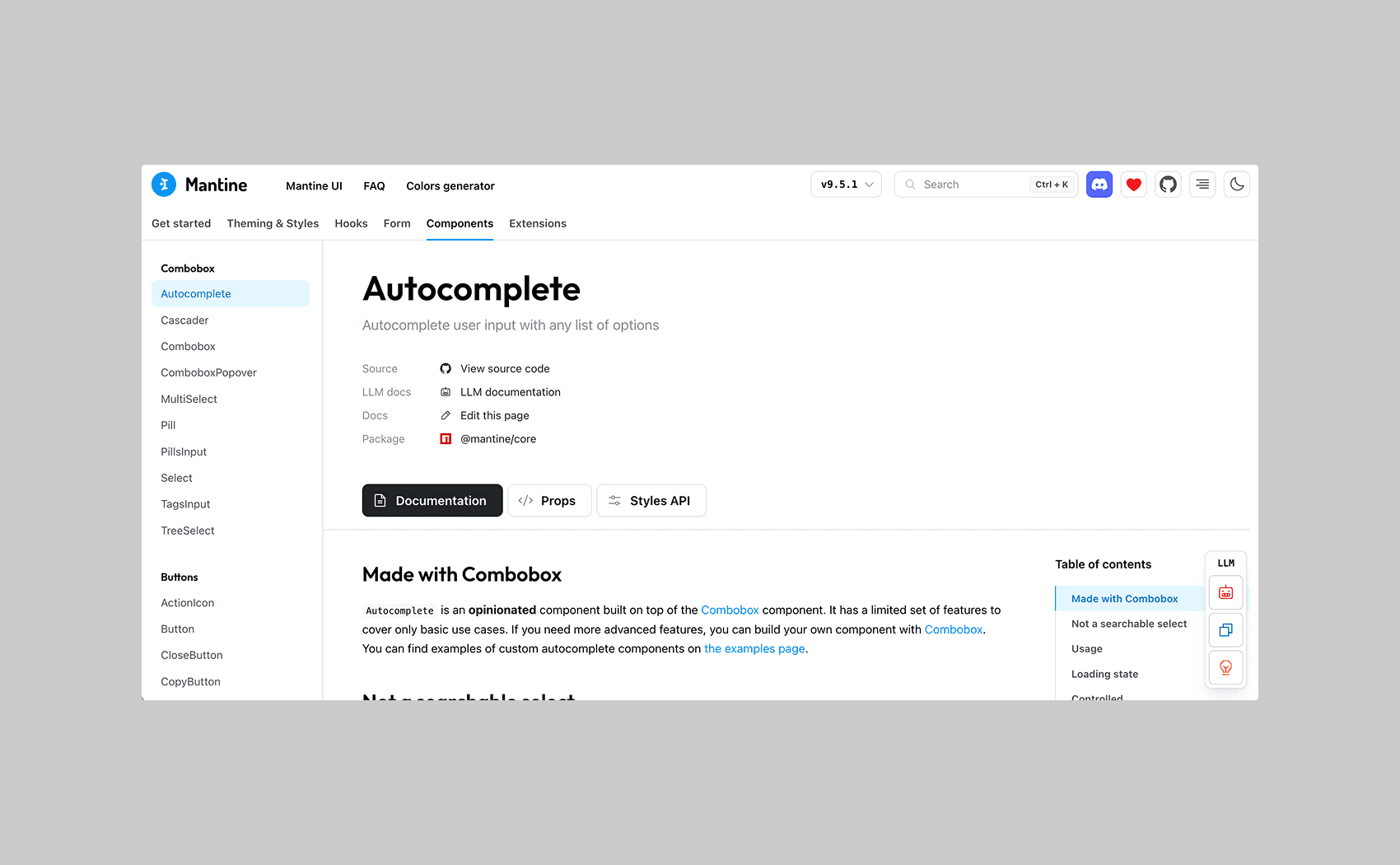
After choosing Mantine, I thoroughly reviewed the component documentation to understand their behavior, interactions, and limitations before integrating them into the product.
Other design systems
We evaluated Chakra UI and MUI, but decided not to adopt them as they lacked some components that were essential for our needs.
Why we chose Mantine
We chose Mantine because of its excellent documentation, modern UI style, React-based architecture and the existence of a Figma library.
Customization
One of the main limitations of the design system was the lack of a structured navigation system.
For this reason, I started by designing the navigation architecture first, and then moved on to creating custom functional tables tailored to our specific needs, rather than relying on Mantine’s default table components.
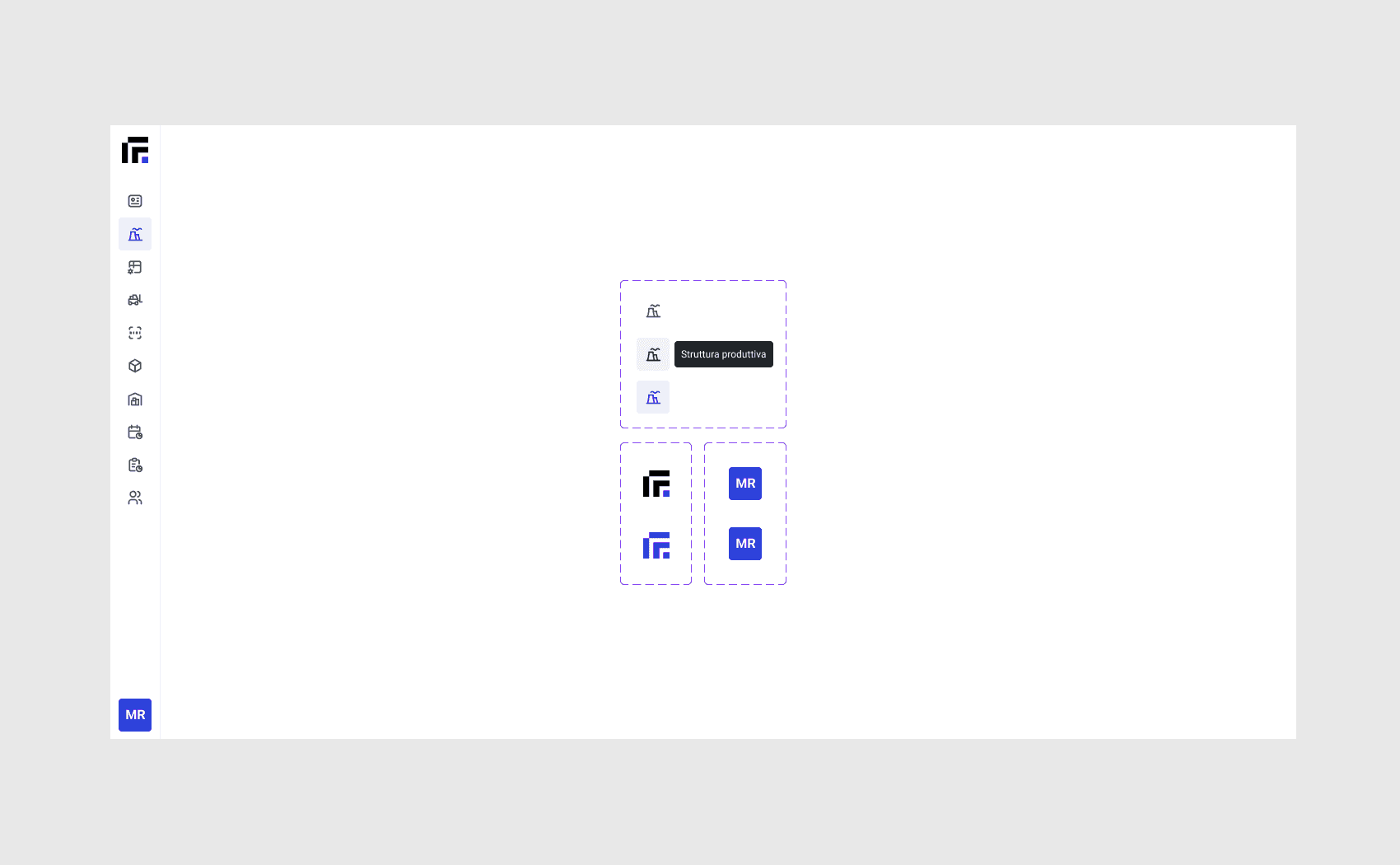
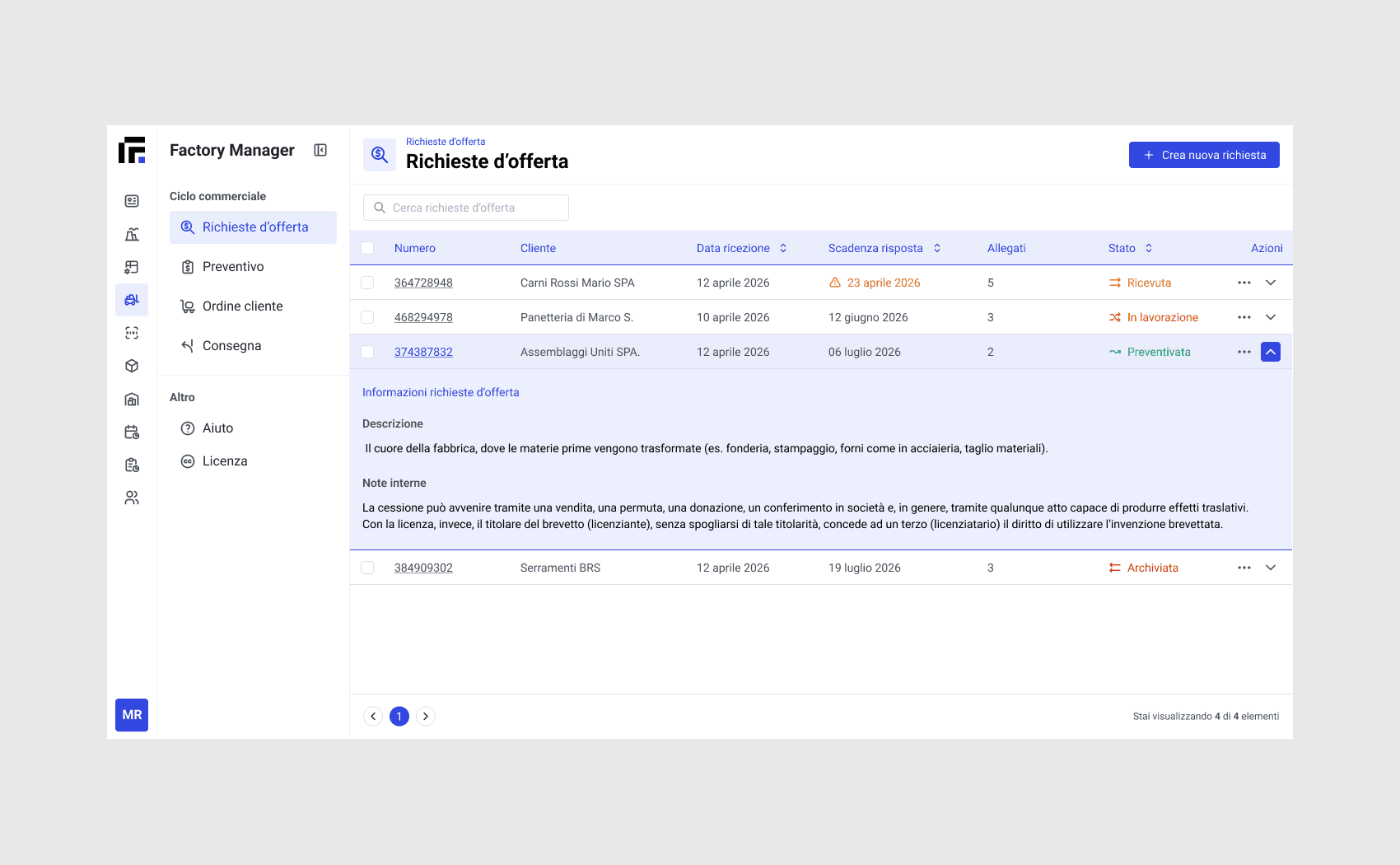
I chose to create a primary navigation menu without explicit labels, reducing visual noise and improving focus. Section names are revealed on hover, providing context only when needed.
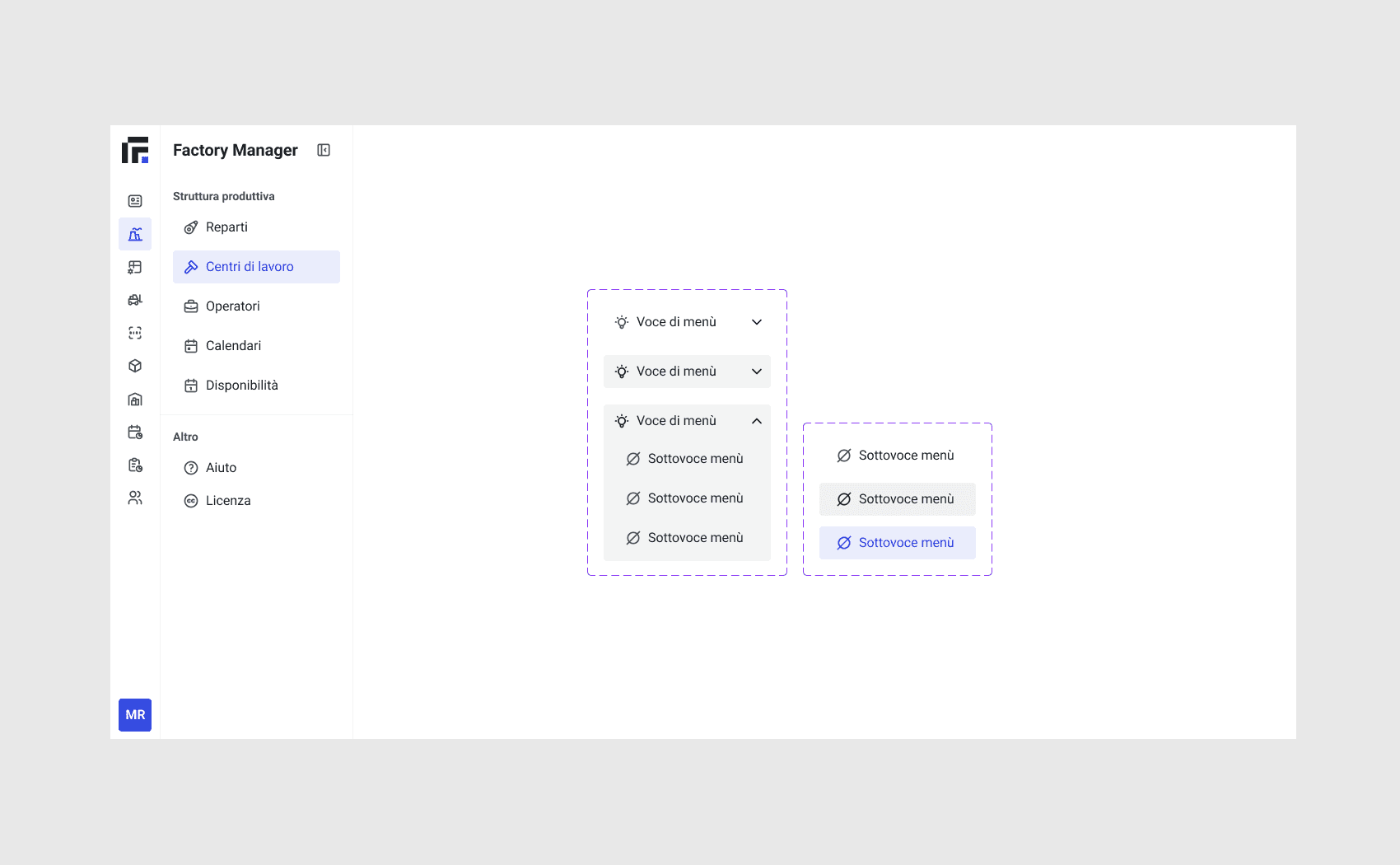
For the secondary sidebar, I introduced the possibility of nesting items to better represent hierarchical structures and support more complex navigation flows.
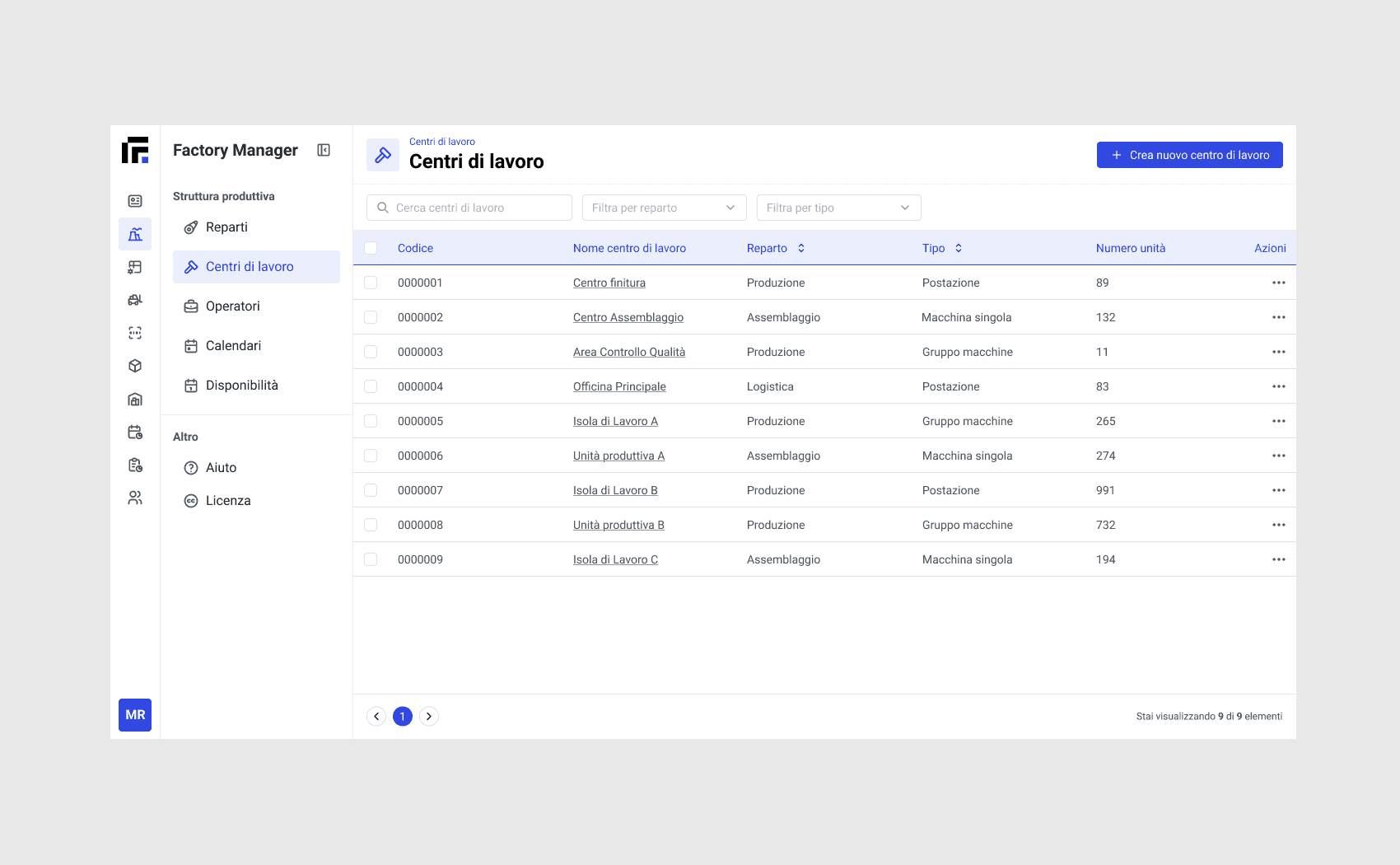
Row-level actions are grouped within a dedicated action icon, avoiding visual clutter caused by multiple visible actions on each row.
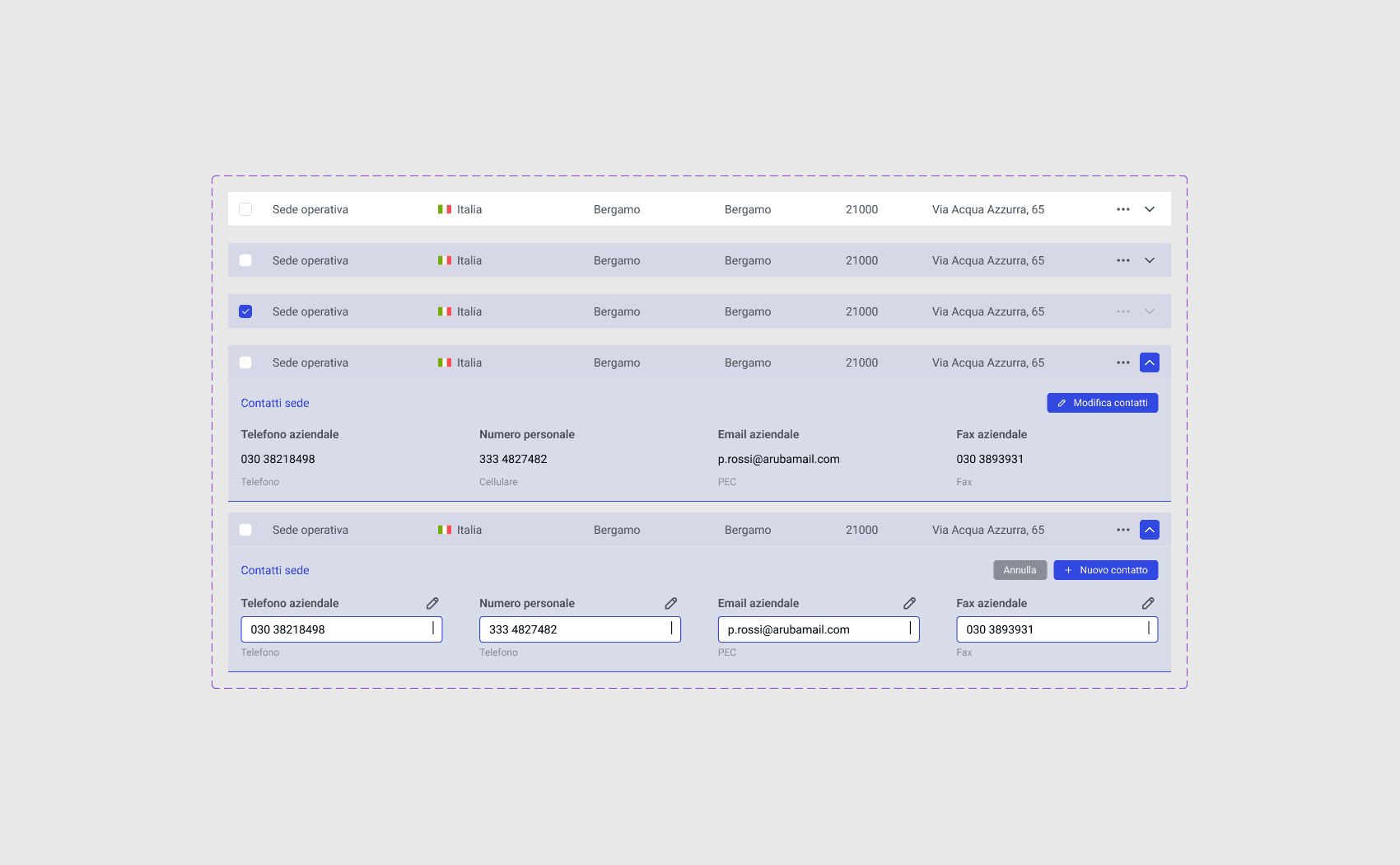
In some cases, I designed expandable table rows to reveal additional information when needed, along with the possibility of performing actions directly on individual inputs.
Ensuring accessibility
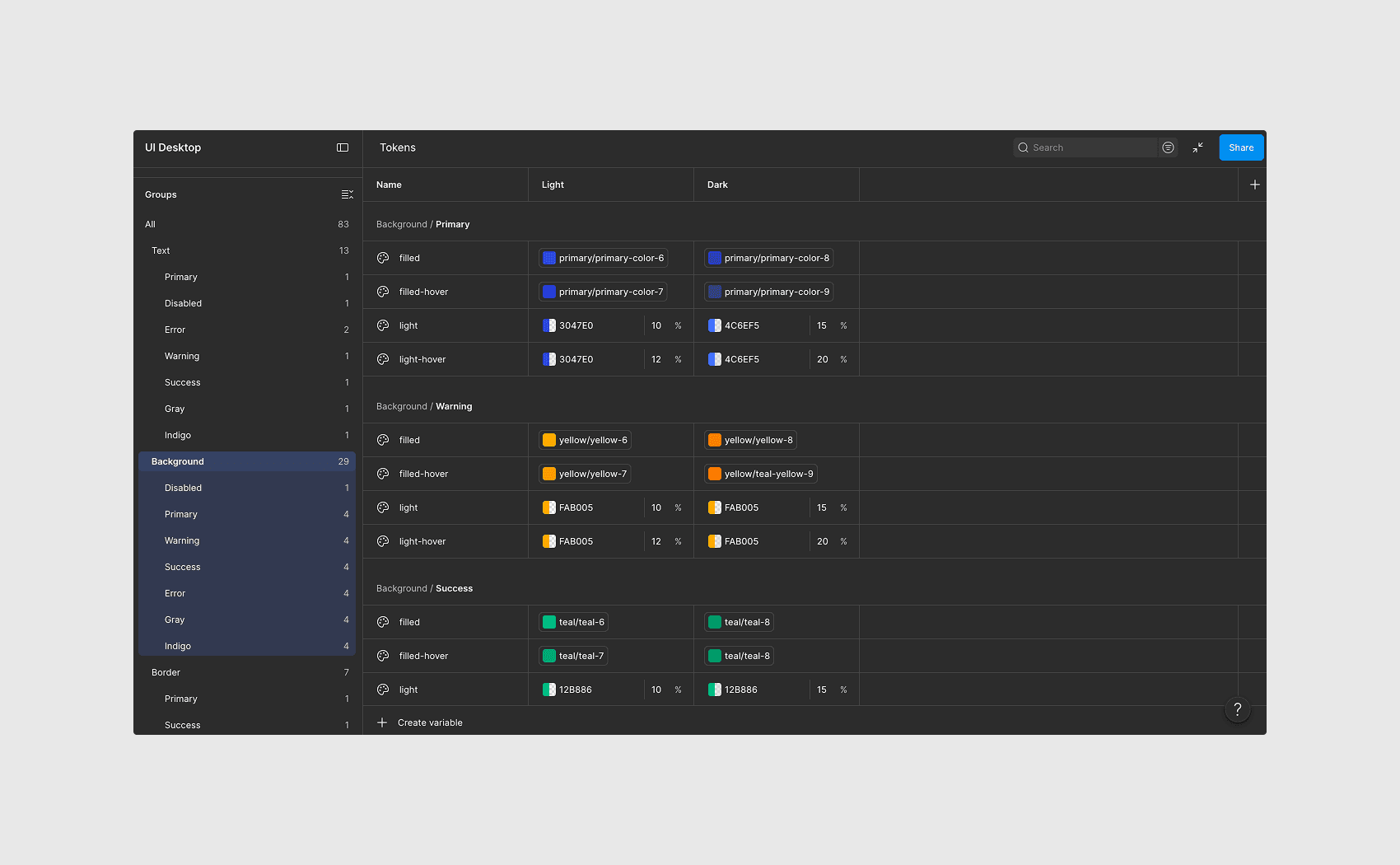
I made some adjustments to the design system’s original tokens to ensure at least an AA level of contrast according to WCAG.
Some text tokens, when combined with Mantine’s default primary background colors, did not meet accessibility requirements.
Edge cases
During the UI and UX design phase, I considered a range of edge cases to prevent the experience from breaking or behaving unexpectedly from the user’s perspective.
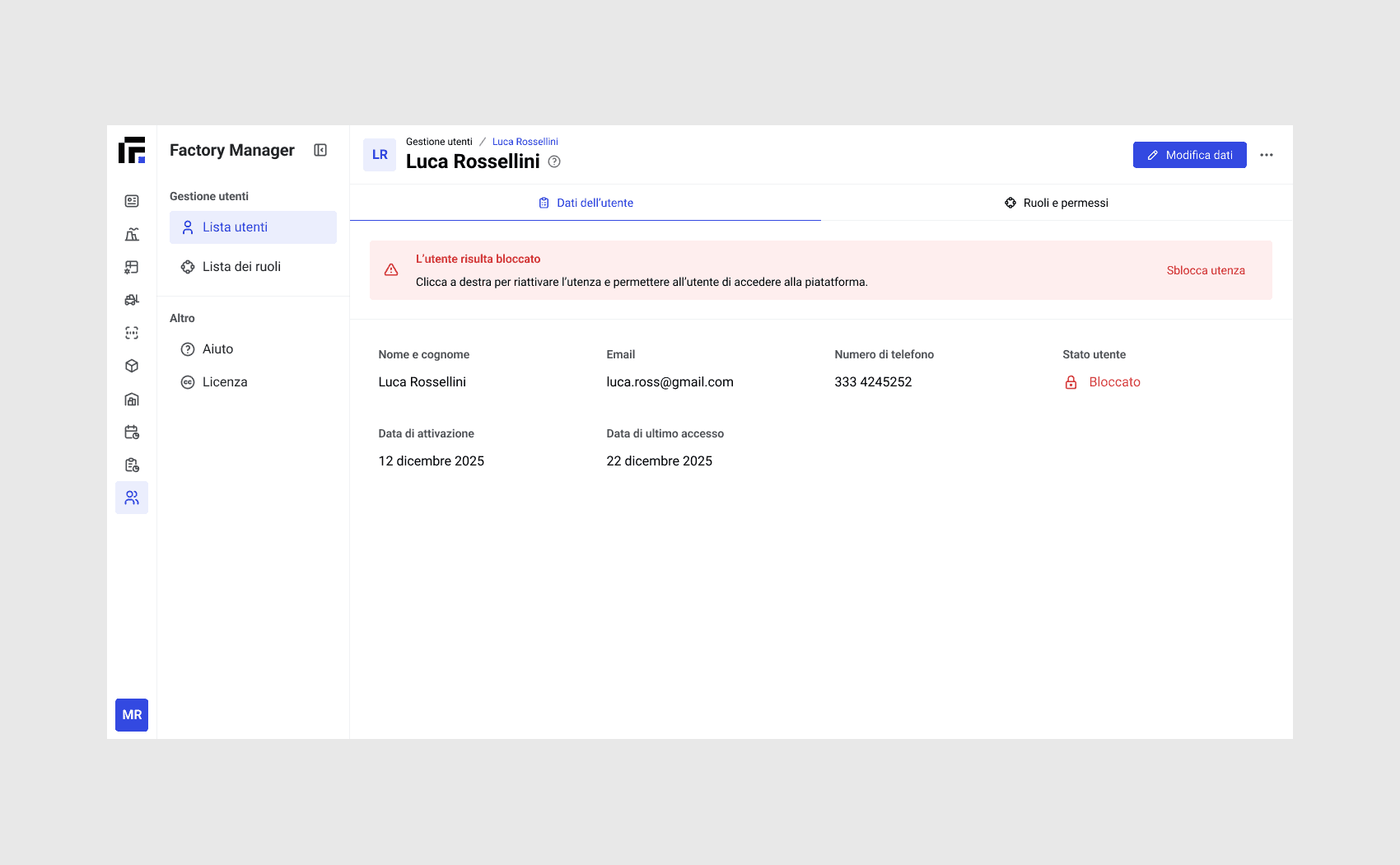
In some cases, a user may be temporarily locked out, for example after multiple incorrect password attempts. I designed a view that allows the operator to unlock the user.
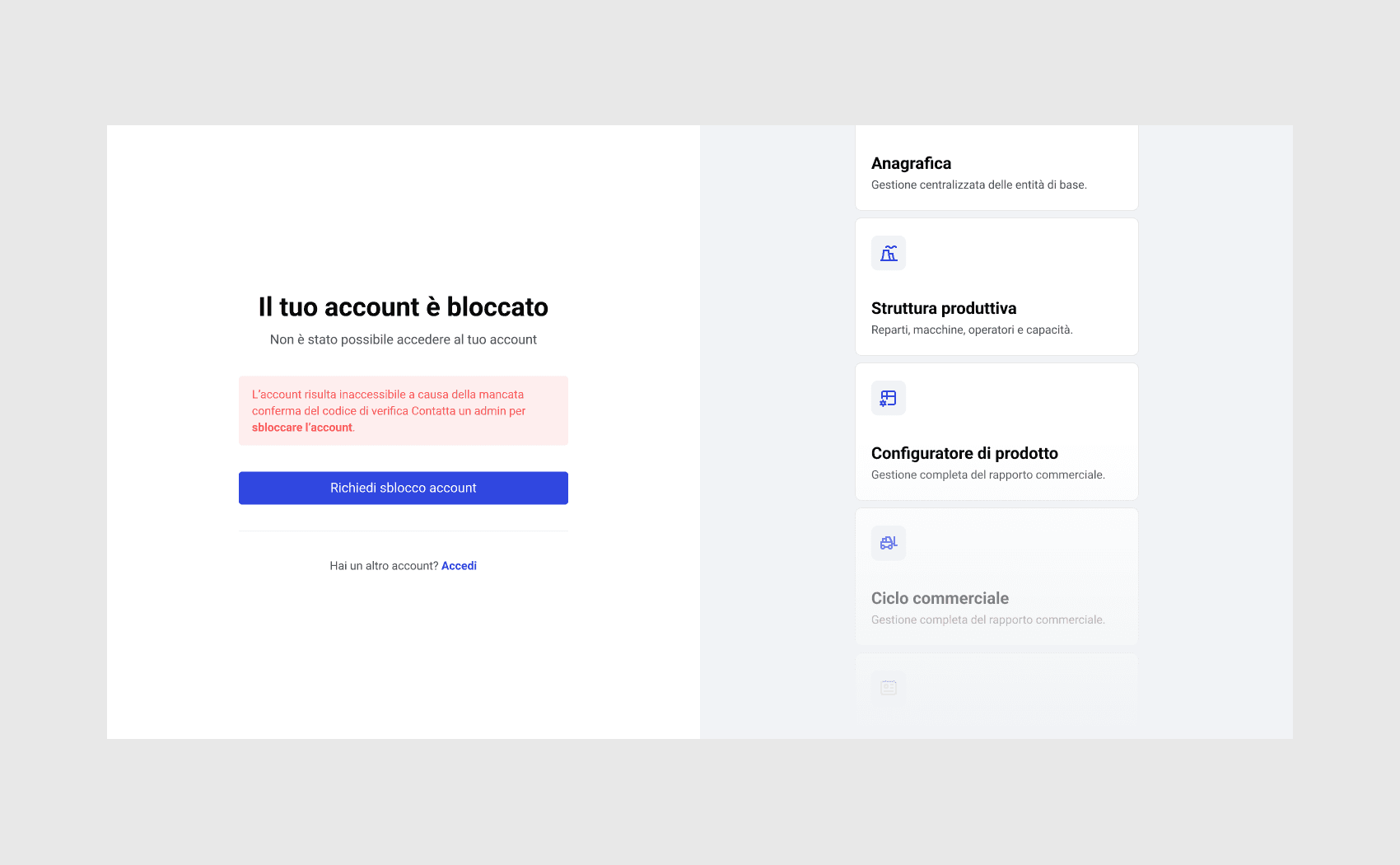
The same principle applies to locked users, who can request an account unlock directly from the login screen by contacting the operator via email.
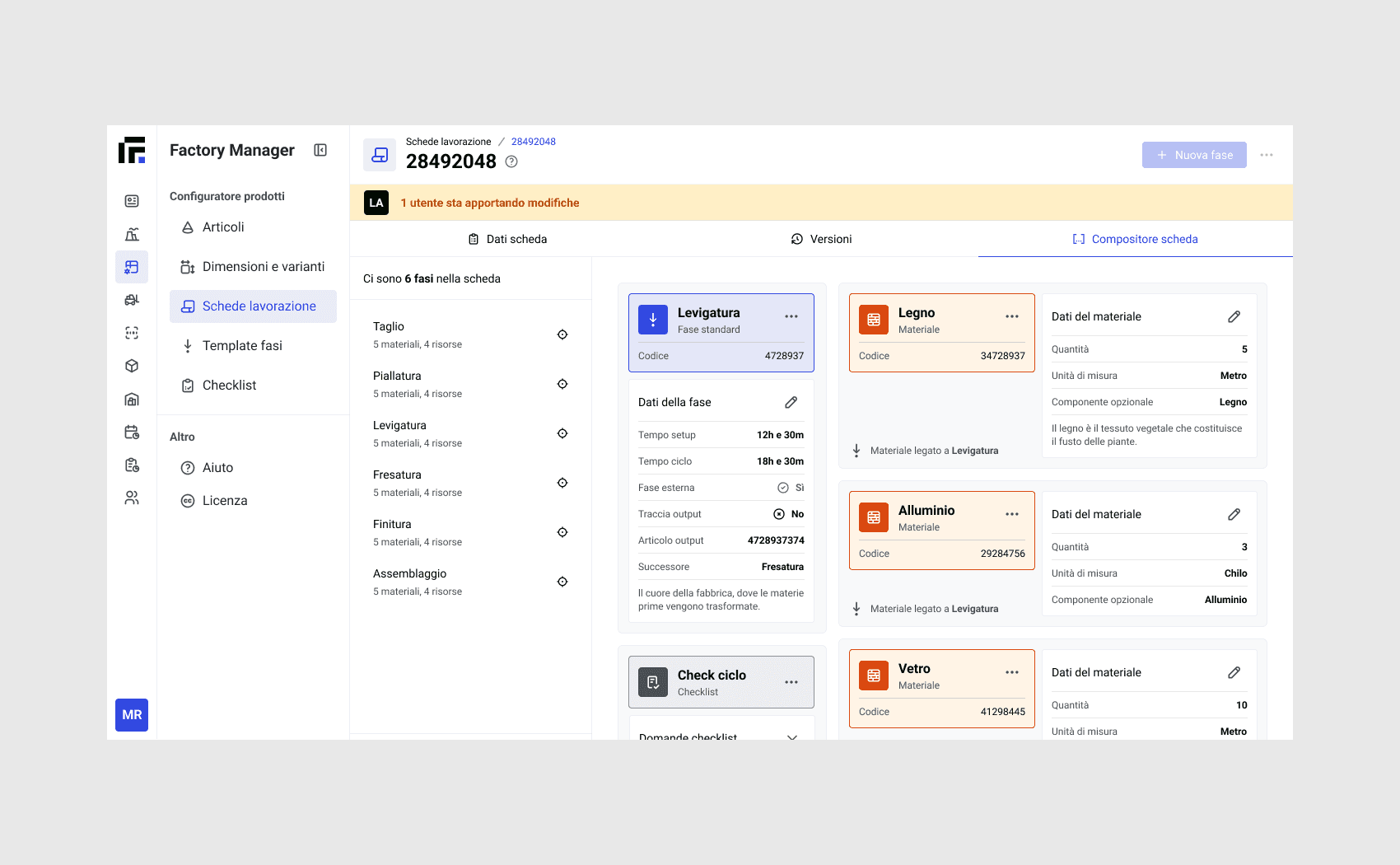
In the production order view, we considered preventing simultaneous edits when multiple users are viewing the same page, avoiding conflicts and unintended changes. Other active users are indicated at the top of the page.
The result so far
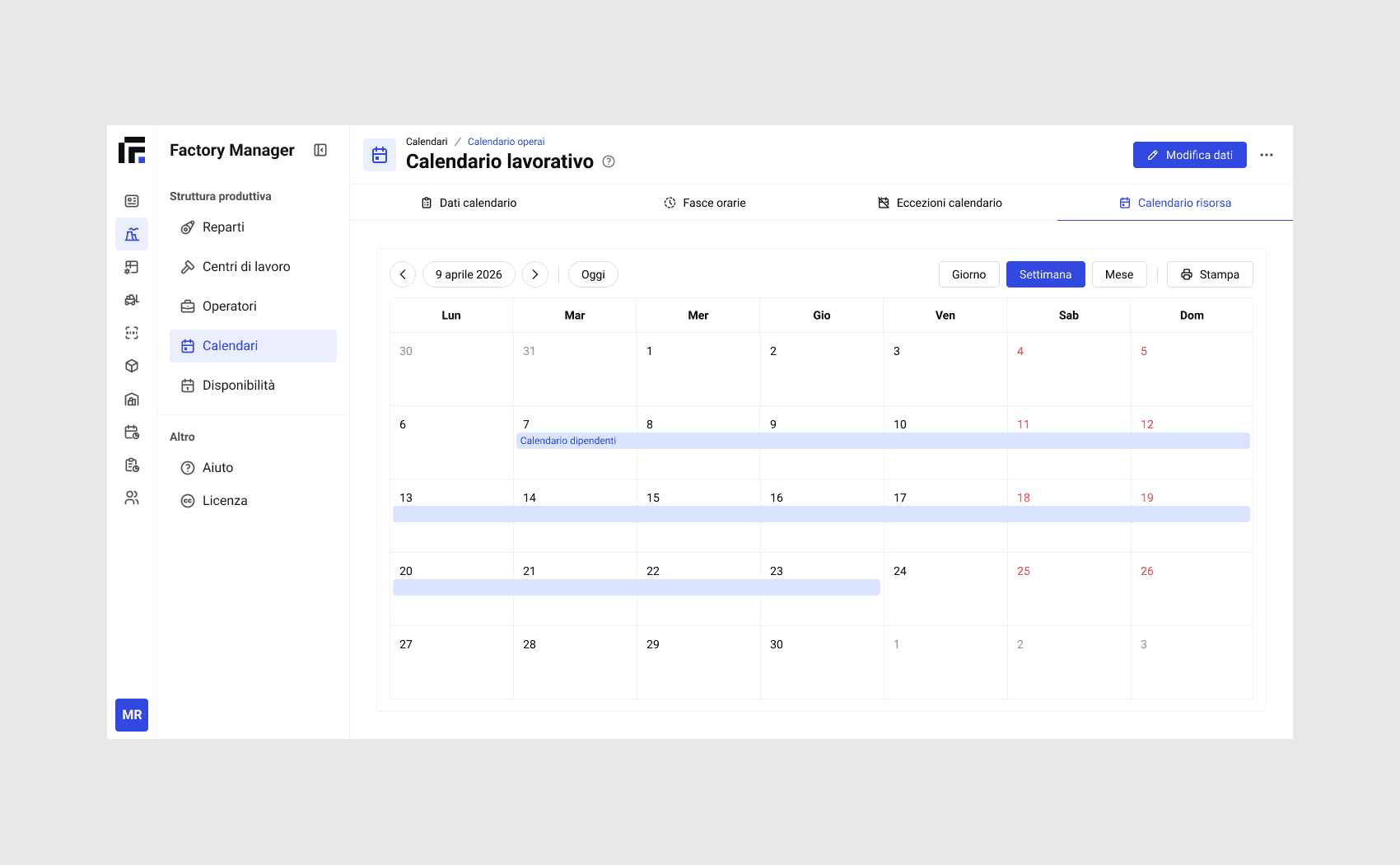
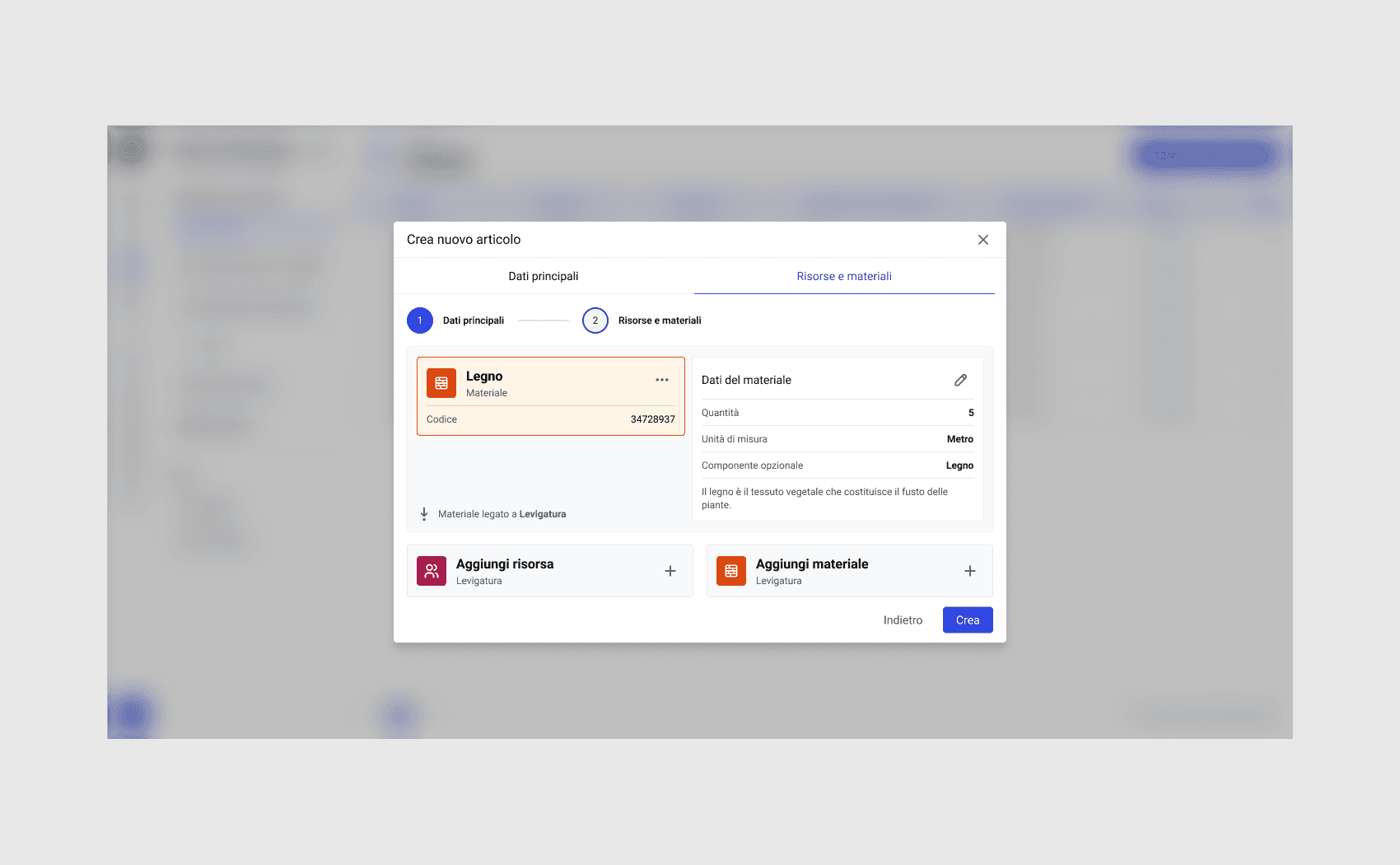
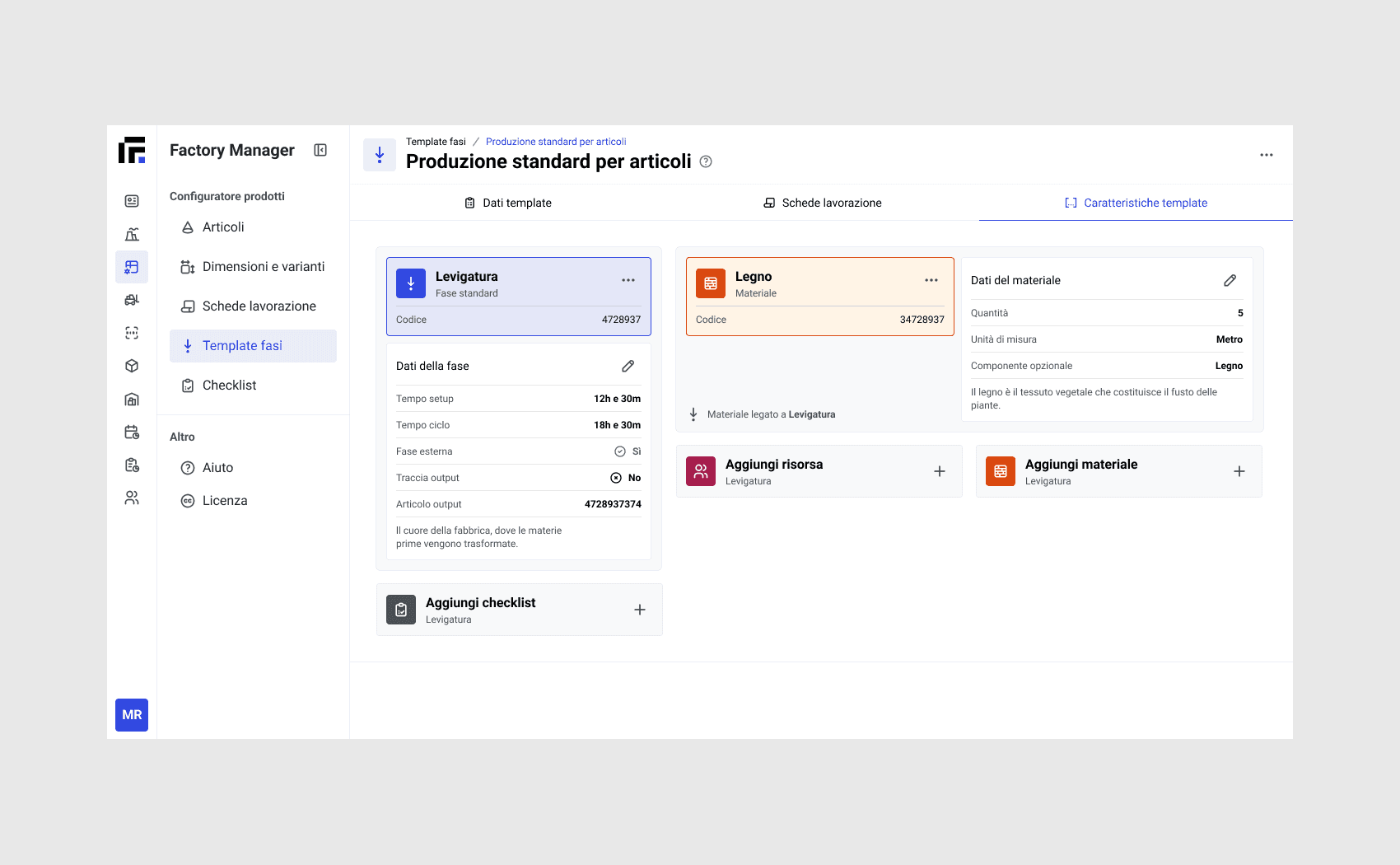
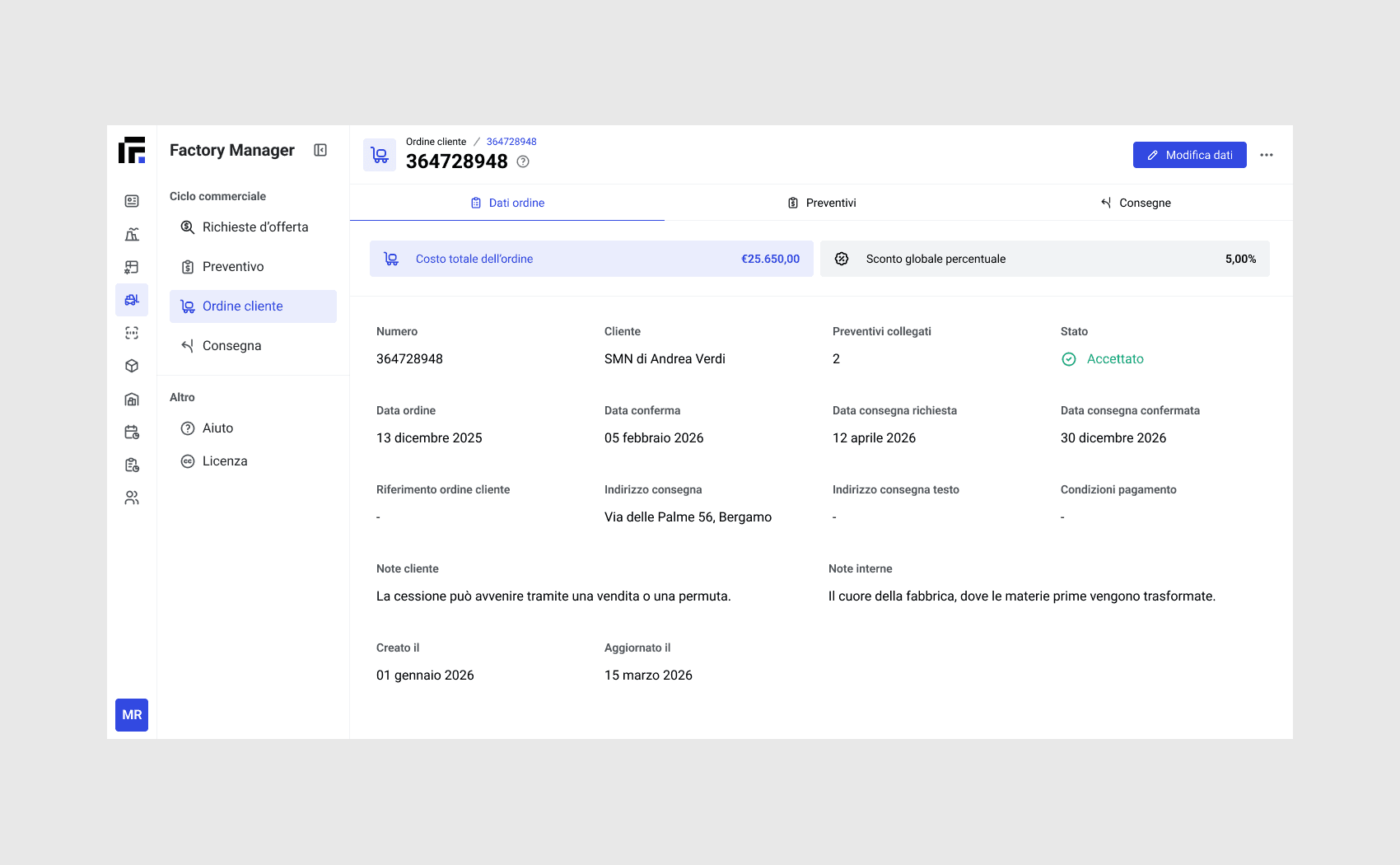
At the moment, four modules have been developed, and we have reached a very first version.
There is still a lot of work to be done, and the most challenging part will be gathering feedback on what has already been built and seeing how the tool performs in the real world.
At this stage, it is possible to add calendars, work shifts, departments, fully manage subject records, and create quotes.
Product launch
After reaching an initial version of the product, we decided to launch it on the market while continuing to work on the next modules.
I designed and developed a promotional landing page in Framer, providing a point of contact with the product through an inquiry form.
View landing page
Final thoughts
Work on the remaining modules is ongoing. I believe it is essential to create a useful product that clearly addresses the needs of its target audience — not only to drive sales, but also to solve a real problem faced by many small businesses.
I believe Factory Manager can be particularly effective in this regard. The design process was complex, and many aspects had to be revised as testing revealed that they were either not working effectively or were unnecessarily cumbersome.
The biggest challenge was undoubtedly dealing with a massive information architecture and a large number of UI elements displayed on screen.
What we built
What changed
Personal learnings